
PUBG Mobile FLASH | Official APK Download 2026 For Free

Description
Introduction to PUBG Mobile FLASH Game
Mobile gaming has become a big part of everyday life. Millions of players enjoy shooting games on their phones, but not everyone owns an expensive gaming device with plenty of storage and powerful hardware. Some players have to deal with limited space, slow downloads, and phones that struggle with demanding games. This is one reason why PUBG Mobile FLASH has attracted attention.
PUBG Mobile FLASH is designed to make the original PUBG MOBILE experience easier to access through a lighter initial download. It aims to give players a convenient way to enter the battlefield without downloading every map and game resource at the beginning. According to its official store listing, Erangel comes pre-installed, and players can download additional maps and modes when they want them.
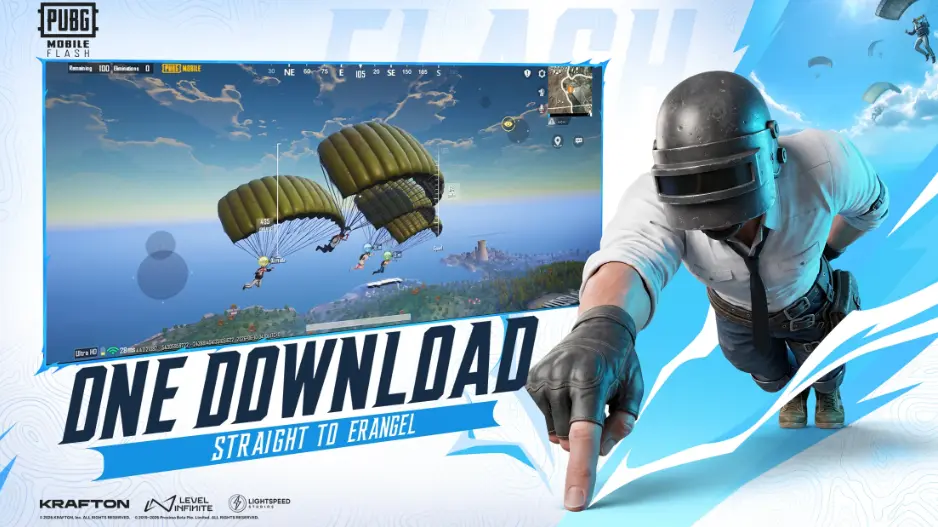
The most interesting part is that FLASH is not advertised as a completely different battle royale game. Its official description highlights the same PUBG MOBILE world, familiar gameplay, friends, and updates, but with a lighter starting download.
For players who enjoy PUBG but want to manage their phone storage more carefully, this approach could be useful. However, there are several things worth understanding before downloading the game, including its features, release information, device compatibility, and the difference between official downloads and unofficial APK files.
What Is PUBG Mobile FLASH?
PUBG Mobile FLASH is a version of PUBG MOBILE designed around a lighter initial download and broader device accessibility. It is published under Level Infinite, and its official store description presents it as the original PUBG MOBILE experience with a more flexible installation process.
The main idea is straightforward. Instead of requiring players to download every available map and mode at the beginning, PUBG Mobile flash allows them to start with the included content and expand their game later.
This approach can be helpful for people who have limited phone storage or prefer to download large files gradually. It can also make the installation process more convenient for players who want to get into their first match without waiting for a large collection of additional resources.
However, it is important to understand what a lighter download actually means. A smaller initial installation does not automatically guarantee higher FPS, zero lag, or perfect performance on every phone. Your device’s processor, graphics hardware, available memory, temperature, and internet connection can still affect your experience.
The official listing focuses on a lighter installation and optimized performance across more phones. Players should therefore view PUBG Mobile FLASH as an option designed to make getting started easier, rather than assuming it will solve every performance problem.
PUBG Mobile FLASH Release Date
One of the most common questions among players is when PUBG Mobile FLASH will become available.
As of October 13, 2026, the US Apple App Store listing shows an expected release date of November 12, 2026. Release availability can vary by region and platform, so players should check the official store listing for their country before making plans to download it.
The game has an official presence on Google Play as well, although the exact availability and release information displayed to users may differ depending on their region.
It is always better to check an official listing than to trust a random social media post. Gaming news can spread quickly, and unofficial websites sometimes publish dates that have not been confirmed by the developer.
If you are waiting for PUBG Mobile FLASH, keep an eye on the official website, its verified social media accounts, and the relevant app store page. These are the most useful places to check for changes to the launch schedule, registration availability, and installation instructions.
Remember that an expected release date is not the same as a guarantee that every player will receive access at the same time.
Main Features of PUBG Mobile FLASH
PUBG Mobile FLASH focuses on making the original game easier to install and manage. Although players may expect entirely new weapons, maps, or battle mechanics, the official description places more emphasis on accessibility and flexible downloads.
Let’s look at the main features.
Lighter Initial Download
One of the biggest attractions of PUBG Mobile FLASH is its lighter initial download.
Modern mobile games can occupy a considerable amount of storage. Between the application itself, maps, visual resources, updates, and other files, the total space required can grow over time.
For someone using a phone with limited storage, installing a large game may mean deleting photos, videos, or other applications.
FLASH takes a different approach by allowing players to begin with a smaller set of resources. This can make installation more manageable and leave additional room for other things on the phone.
The important detail is that a lighter initial download does not mean the complete game will never require more storage. If you later download additional maps or modes, the amount of space used will increase.
Before installing any version it is sensible to check your available storage and leave some free space for temporary files and future updates.
Erangel Comes Pre-Installed
Erangel is one of the most recognizable maps and it is included in PUBG Mobile FLASH from the beginning.
This is useful because players do not have to download an additional map before entering their first battle. After completing the initial installation and any necessary setup, they can start with the included Erangel content.
For returning players, Erangel offers a familiar environment with buildings, open fields, roads, hills, and different locations for finding equipment and fighting opponents.
New players can also use the map to learn the basics of battle royale gameplay. They can practise moving between buildings, finding weapons, choosing safe routes, and understanding how the playable area changes during a match.
Having a map ready from the beginning makes the initial experience more straightforward, especially for someone who simply wants to install the game and start playing.
Download Additional Maps When Needed
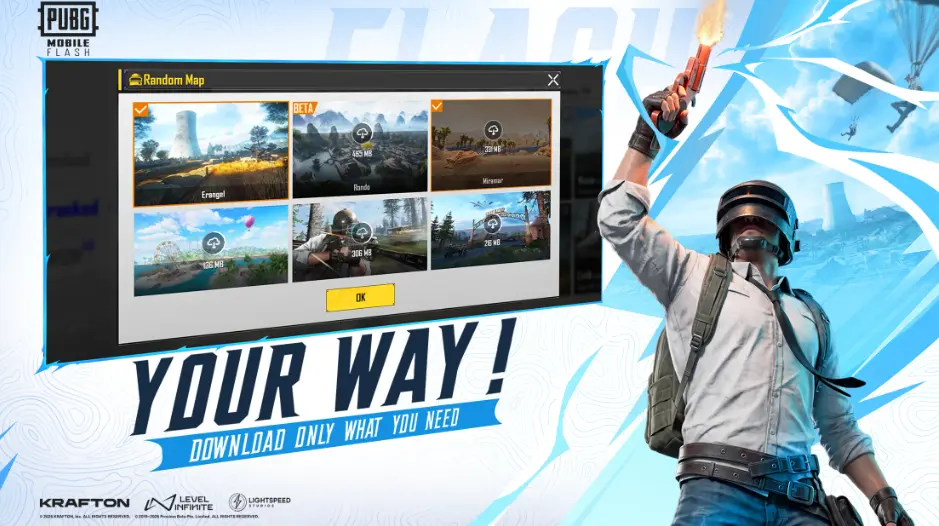
Another useful feature is the ability to download additional maps and modes as needed.
Not every player uses every available game mode. Some people spend most of their time in classic battle royale matches, while others prefer alternative modes or different maps.
Downloading everything at once may be unnecessary if you only play a small part of the game.
PUBG Mobile FLASH gives players more control over this process. You can begin with the included content and expand your game when you decide that you want something different.
This can help you manage your storage more efficiently. It also gives you a clearer idea of which additional resources you actually need.
Before downloading new content, check how much free space is available on your device. Large resources can take up more room than expected, and maintaining sufficient free storage can help prevent installation or update problems.
The Familiar PUBG MOBILE Experience
Players who already enjoy PUBG MOBILE may be interested in whether FLASH changes the basic gameplay.
According to the official store description, PUBG Mobile Flash is intended to provide the same authentic battle royale experience and remain part of the same PUBG world.
That means its central appeal is still the familiar combination of exploration, looting, positioning, shooting, and survival.
You enter the battlefield, collect useful equipment, pay attention to your surroundings, and make decisions that improve your chances of surviving. Every match can develop differently because opponents, locations, and situations change.
For experienced players, the familiar gameplay should make the transition easier. New players can learn the same core skills that make battle royale games enjoyable.
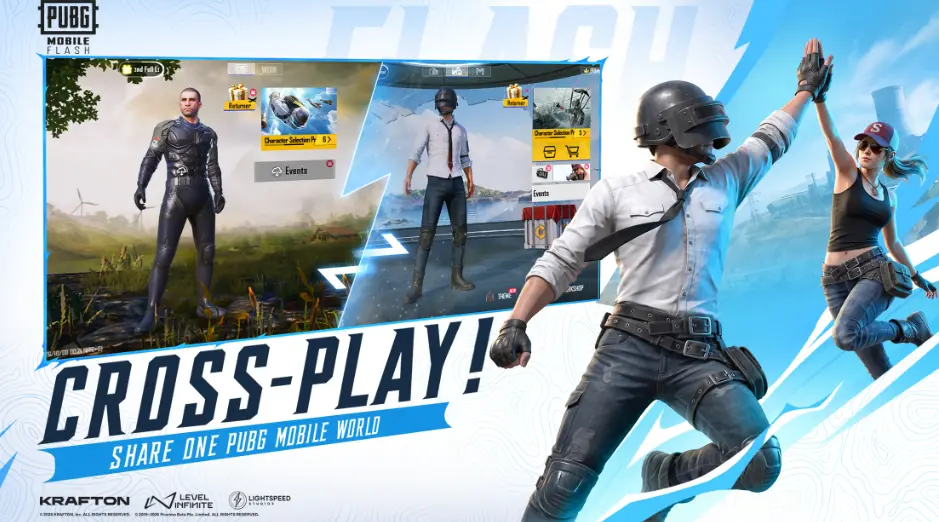
However, players should rely on official information for details about account access, cross-play, and specific compatibility features. Do not assume that every technical detail works identically in every region unless the publisher confirms it.
Designed for More Devices
PUBG Mobile FLASH is also presented as an option designed to support a broader range of phones.
A lighter installation can be helpful for people who cannot comfortably accommodate a larger game package. The official description also mentions optimized performance across more phones.
Still, it is important to keep expectations realistic.
A game can have a lighter download and still demand suitable hardware to run smoothly. Frame rate, graphics quality, and stability depend on more than installation size.
If your phone has an older processor, limited RAM, or a battery that heats up quickly during gaming, you may still need to adjust your settings and manage background applications.
The best way to judge performance is to try the officially released game on your own device and evaluate the results rather than relying on exaggerated promises.
PUBG Mobile FLASH vs Regular PUBG MOBILE
Many players want to know whether they should use PUBG Mobile FLASH or continue playing the regular version.
The most important difference highlighted in the official description is the installation approach. FLASH begins with a lighter download and allows players to add more maps and modes later.
Here is a simple comparison.
| Feature | PUBG Mobile FLASH | Regular PUBG MOBILE |
|---|---|---|
| Initial installation | Designed to be lighter | Includes the regular app’s installation package |
| Starting map | Erangel comes pre-installed | Content availability depends on the current installation |
| Additional maps | Download when needed | Available through the game’s download system |
| Main experience | Original battle royale experience | Original battle royale experience |
| Storage management | Focuses on a smaller starting download | Total storage use depends on installed resources |
| Device performance | Optimized for accessibility across more phones | Depends on the device and game settings |
| Updates | Check the official FLASH listing and notices | Check the regular notices |
The comparison does not mean FLASH will always use less total storage after a player downloads additional content. The final storage requirement depends on what is installed and how each version handles its resources.
Similarly, a lighter starting download does not prove that FLASH will always deliver higher frame rates.
If your main concern is storage, FLASH may be worth considering. If your regular PUBG MOBILE installation already works well and you have enough free space, you may prefer to continue with the version you know.
How to Download PUBG Mobile FLASH Safely?
When a popular game receives attention, unofficial download pages often appear. Some offer APK files, while others advertise modified versions or special features.
Before downloading PUBG Mobile FLASH, make sure you are using a legitimate source.
Step 1: Visit the Official Website
Start by visiting PUBG Mobile official website:
Look for the PUBG MOBILE FLASH announcement or pre-registration section. Follow the store link provided for your device and region.
Step 2: Open the Correct App Store
Android users should check the official Google Play listing:
iPhone users should check the official Apple App Store listing:
Store availability and release dates may differ between countries, so use the listing intended for your region whenever possible.
Step 3: Check the Publisher
Before installing the game, confirm that the listing identifies the expected official publisher or developer.
This small step matters because unofficial applications may use similar names, logos, and screenshots to look authentic.
Avoid downloading a file simply because its name contains the words PUBG Mobile FLASH.
Step 4: Review Compatibility and Storage
Check the application’s compatibility information, available storage, and any system requirements shown by the official store.
Close unnecessary applications if your device is low on memory, and make sure your phone has enough free space to complete the installation.
A stable internet connection is also helpful when downloading a large application.
Step 5: Install and Follow the Setup Instructions
Once the official release is available to you, install the game through the authorized store and follow its on-screen instructions.
If the game requests additional resources, read the download information carefully. Start with the included content and add other maps or modes when you need them.
Do not enter your account credentials into an unknown website claiming to provide early access or special rewards.
Is the PUBG Mobile FLASH APK Safe?
The safest approach is to obtain PUBG Mobile FLASH through its official app store listing.
An APK file from an unknown third-party website may be modified, outdated, or bundled with unwanted software. It could also put your account or personal information at risk.
Be particularly careful with websites promising unlimited UC, free premium items, unlocked skins, or special versions that supposedly bypass the normal game system.
If a public APK download has not been announced through an authorized channel, do not assume that a file circulating online is genuine. Waiting for an official release is a much safer choice than risking your device for an early download.
Can You Play PUBG Mobile FLASH on a Low-End Phone?
This is an important question for players who use budget Android phones or older iPhones.
PUBG Mobile FLASH is presented as a lighter starting point with optimization intended to make the experience accessible on more devices. That is encouraging for people who struggle with storage limitations.
However, the official description does not provide a complete set of minimum hardware requirements for every supported device.
Without confirmed specifications, it would be misleading to promise that the game will work smoothly on every phone with a particular amount of RAM.
Keep Enough Free Storage
Avoid filling your phone’s storage completely. Leave room for application files, updates, and temporary data.
If necessary, remove applications you no longer use or move personal photos and videos to a secure storage location.
Use Suitable Graphics Settings
If the game offers graphics and frame-rate options for your device, start with a setting that prioritizes stability.
Higher visual quality is not always the best choice for competitive gameplay. A consistent frame rate can be more useful than detailed graphics that cause stuttering.
Close Unnecessary Background Apps
Social media applications, browsers, downloads, and other background tasks may compete for system resources.
Closing unnecessary applications before a match can help, although the amount of improvement depends on your phone.
Watch Device Temperature
Long gaming sessions can heat up a phone. High temperatures may cause a device to reduce performance to protect itself.
Take breaks when necessary, avoid playing in very hot conditions, and do not ignore repeated overheating or unexpected shutdowns.
Use a Stable Internet Connection
A lighter game installation does not automatically improve your internet connection.
If you experience high ping, delayed actions, or sudden disconnections, check your Wi-Fi or mobile data connection. Network congestion and server distance can also affect gameplay.
By combining sensible settings with good device maintenance, you can create a better gaming experience without relying on unrealistic performance promises.
PUBG Mobile FLASH Gameplay
The main attraction of PUBG MOBILE is its survival-based gameplay, and FLASH is designed to retain that familiar experience.
A typical battle royale match requires you to make decisions from the moment you enter the battlefield.
You must decide where to land, how quickly to collect equipment, when to engage enemies, and when it is better to avoid a fight.
These decisions are just as important as aiming accurately.
Choose Your Landing Location Carefully
Your landing location can influence the entire match.
Busy locations may provide more opportunities to collect weapons and fight opponents early, but they also bring greater risk.
Quieter areas can give you time to collect equipment and plan your next move.
If you are a beginner, start with a location where you can learn the map without immediately facing several opponents. As your confidence grows, you can experiment with more challenging landing spots.
Collect Useful Equipment First
After landing, focus on finding a suitable weapon, ammunition, protective equipment, and healing items.
You do not need to collect every item you see. Carry equipment that matches your playstyle and the situations you expect to face.
A player who prefers close-range fights may choose a different weapon combination from someone who prefers long-range engagements.
Learning which items are useful can save time and help you make faster decisions during a match.
Pay Attention to the Safe Zone
The playable area becomes smaller as a match progresses. Staying outside the safe zone can cause damage, so checking the map regularly is important.
Do not wait until the last moment to move if the safe zone is far away.
Planning your route early gives you more options and reduces the chance of being caught in an exposed position while trying to reach safety.
Use Cover Instead of Running Into Open Areas
Open ground can leave you vulnerable to enemies who already have a good position.
Whenever possible, move between buildings, rocks, trees, ridges, and other available cover.
If you must cross an open area, think about where you are going before you start moving.
Good positioning often gives you an advantage even when your opponent has similar equipment.
Communicate With Your Team
If you play with friends, communication can make a major difference.
Share useful information about enemy locations, available supplies, and safe routes. Let teammates know when you need help or when you plan to move.
You do not need to talk constantly. Clear and useful information is more valuable than unnecessary conversation during an important fight.
Tips to Improve Your PUBG MOBILE Skills
Whether you are new to the game or returning after a break, improving your skills takes practice.
Here are some simple habits that can help.
Practise your aim regularly. Spend time in the training area learning how different weapons behave. Focus on controlling recoil and keeping your crosshair near likely enemy positions.
Adjust your controls. Find a control layout that feels comfortable for your hands and screen size. Avoid copying another player’s settings without testing whether they suit you.
Learn the map. Familiarity with buildings, roads, hills, and common routes helps you make better decisions under pressure.
Avoid unnecessary fights. Not every enemy needs to be attacked immediately. Consider your equipment, position, and the location of the safe zone before committing to a fight.
Use headphones responsibly. Clear game audio can help you notice footsteps and nearby activity. Keep the volume at a comfortable level to protect your hearing.
Learn from mistakes. If you lose a match, think about what happened. You might have moved too late, exposed yourself unnecessarily, or rushed into a fight without enough supplies.
Play with reliable teammates. Teammates who communicate and cooperate can make difficult situations easier to manage.
Be patient. Good performance comes from repeated practice. A few bad matches do not mean you are a bad player.
These habits can improve your decision-making regardless of which supported version of PUBG MOBILE you choose.
Is PUBG Mobile FLASH Worth Trying?
Whether PUBG Mobile FLASH is worth trying depends on what you want from the game.
If you enjoy PUBG MOBILE but find large downloads inconvenient, the lighter initial installation may be its biggest advantage.
It may also appeal to players who prefer downloading only the maps and modes they intend to use. Instead of installing everything immediately, they can start with the included content and expand their experience later.
Players who already have a comfortable installation of regular PUBG MOBILE may have less reason to switch, particularly if storage is not a problem for them.
It is also important to separate confirmed features from expectations. The official description highlights installation flexibility, Erangel availability, and the familiar PUBG MOBILE experience. It does not promise perfect performance on every device or eliminate every possible technical problem.
For that reason, the best approach is to review the official information, check compatibility, and try the released version if it suits your needs.
Final Thoughts
PUBG Mobile FLASH offers an interesting approach to mobile gaming by focusing on a lighter initial download and allowing players to choose additional content as they need it.
For people who have limited phone storage, this could make getting started with PUBG MOBILE more convenient. The pre-installed Erangel map also gives new players a straightforward way to begin playing without first downloading other maps.
At the same time, players should keep their expectations realistic. A lighter installation does not guarantee that every phone will run the game perfectly, and additional downloads can still increase storage requirements.
Before installing PUBG Mobile FLASH, check the official release information, review your device’s compatibility, and use an authorized app store. Avoid suspicious APK files and websites that promise features the publisher has not confirmed.
If you enjoy battle royale games and want a more flexible installation process, PUBG Mobile FLASH is worth keeping an eye on as its release approaches.
Thank you for visiting Apkrealm.pk! We appreciate your time and hope you found this PUBG Mobile Flash guide helpful. Keep visiting our website for more gaming guides, app updates, and useful information.